KIOXIA NVME
News

ASUS Introduces Ivy Bridge-E BIOS Updates For X79

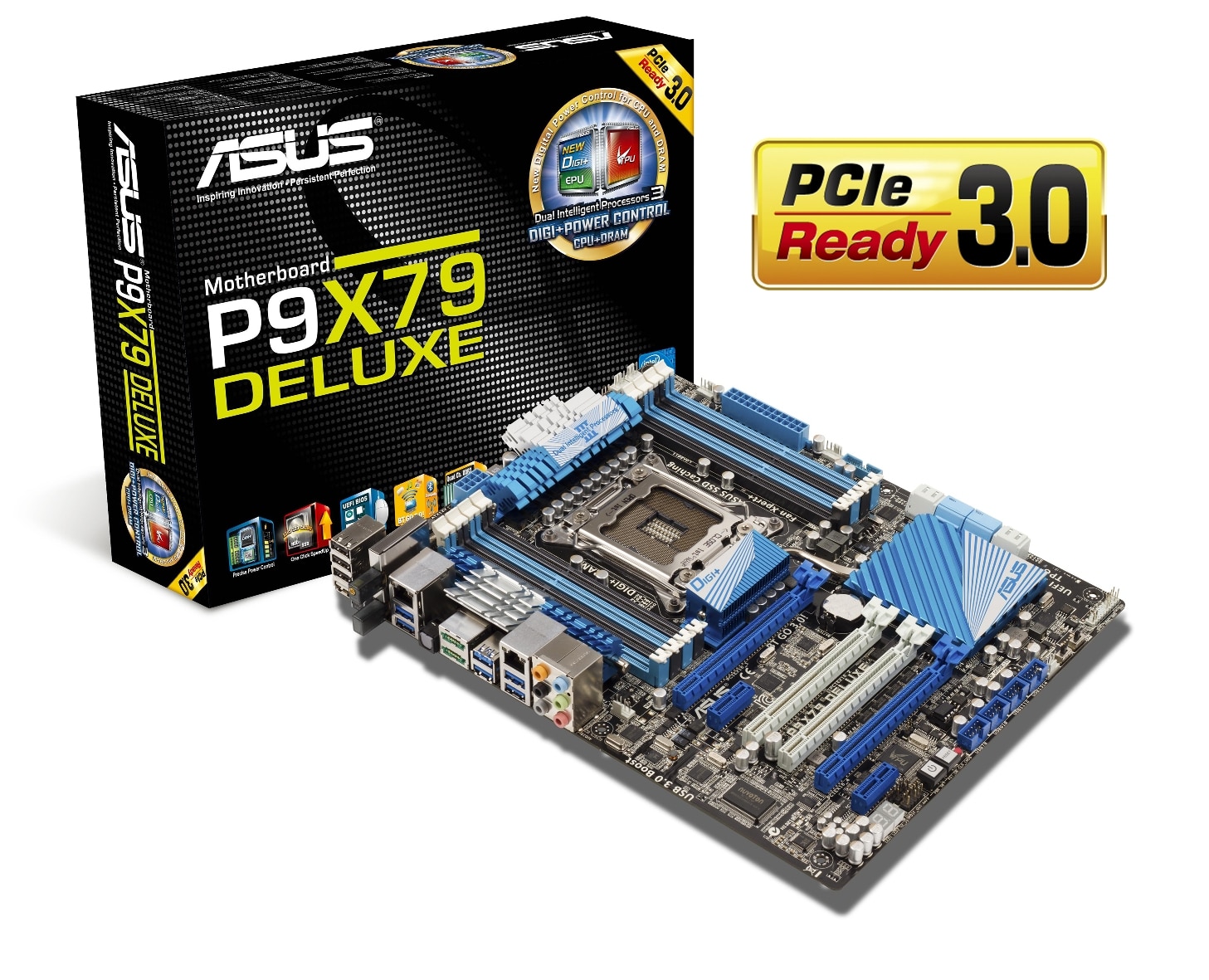
asus_p9x79_deluxe

With Intel’s next generation High End Desktop (HEDT) platform CPUs just around the corner, Ivy Bridge-E that is, ASUS have been rolling out a wave of BIOS updates to prepare their current X79 motherboards for the new Intel CPUs. TechPowerUp reports that each motherboard series has been issued with a specific Ivy Bridge-E update.

The ASUS ROG Rampage IV Extreme gets an update with BIOS version 4206, the ASUS ROG Rampage IV Formula gets Ivy Bridge-E support with BIOS version 4004, the ASUS ROG Rampage IV Gene gets support with BIOS version 4206 and the ASUS TUF Sabertooth X79 is updated with version 4104. The “mainstream” P9X79 series gets a unified BIOS update in the form of version 4104.

Any current ASUS X79 users will simply be able to flash these new BIOS’ onto their current motherboards and when Ivy Bridge-E comes out later this year, expected around September, then your motherboards will be ready to go with the new CPUs from Intel. The transition can be described as similar to the Sandy Bridge-Ivy Bridge transition where BIOS updates allow all socket LGA 1155 motherboards to work with both Ivy Bridge and Sandy Bridge CPUs.

Image courtesy of ASUS

NZXT Kraken Elite RGB
INNO3D RTX 50 Series
Gigabyte AERO X16
INNO3D RTX 50 Series
KIOXIA NVME
Gigabyte AERO X16
KIOXIA NVME
NZXT H2 Flow
KIOXIA NVME
Sapphire Crimson Desert
KIOXIA NVME

Related Articles

6 Comments

  1. Just like to point out this article isn’t correct. 4104 does not add Ivybrige-E support to PX79 Series.

    So thanks for that.

  2. Thanks for the info Ryan. I was going by what ASUS had to say.

    “Thank you for contacting ASUS Customer Service.

    My name is john and it is my pleasure to help you with your problem.

    I’m afraid to tell you that I7-4960x need at least 4210 BIOS version to
    support.

    I hope this could help you”

    1. Strange. I think they are encouraging that you use the latest BIOS because there are always compatibility issues with older versions (I think 4104 wasn’t added to the website it was more of a beta bios). Naturally they don’t want to encourage you to use a BIOS that may not work as well as something else that comes out (it was just the best bios for IBE users at the time). You should just grab the most up to date one as this will normally be the best.

      We did actually do an updated article which informed people of more current Ivy Bridge-E updates for ASUS boards – http://www.eteknix.com/asus-rolls-out-more-ivy-bridge-e-bios-updates-for-lga-2011-motherboards/

      Obviously I think the latest one is now the best one for IBE, 4306 I believe, so I’d just use that.

    2. 4104 is available on the website. Which is what I have (and no longer have a SBE-Chip…eeek!)

      Hopefully it will post for me to update. Thanks for your replies. Not getting much sense out of ASUS support!

      1. Hmm well if it doesn’t post you should be able to do BIOS flashback to add a newer BIOS anyway, just make sure you’ve got a fat32 formatted USB stick laying around somewhere. I’d download 4306 from the ASUS site just to be sure!

Leave a Reply

Your email address will not be published. Required fields are marked *

Back to top button
Close

Adblock Detected

Please consider supporting us by disabling your ad blocker!   eTeknix prides itself on supplying the most accurate and informative PC and tech related news and reviews and this is made possible by advertisements but be rest assured that we will never serve pop ups, self playing audio ads or any form of ad that tracks your information as your data security is as important to us as it is to you.   If you want to help support us further you can over on our Patreon!   Thank you for visiting eTeknix