ASUS RoG Gladius II Optical Gaming Mouse Review
Peter Donnell / 7 years ago
Performance
This mouse is gorgeous out of the box, but plug it in, and it takes on a new life with that wrap around RGB LED trim on the base, as well as the ring light on the scroll wheel. You can pick from effects, sync the colours with your ASUS motherboard, or just pick your favourite shade of… well, any colour! Whatever you pick, it’s easy to make it your own.
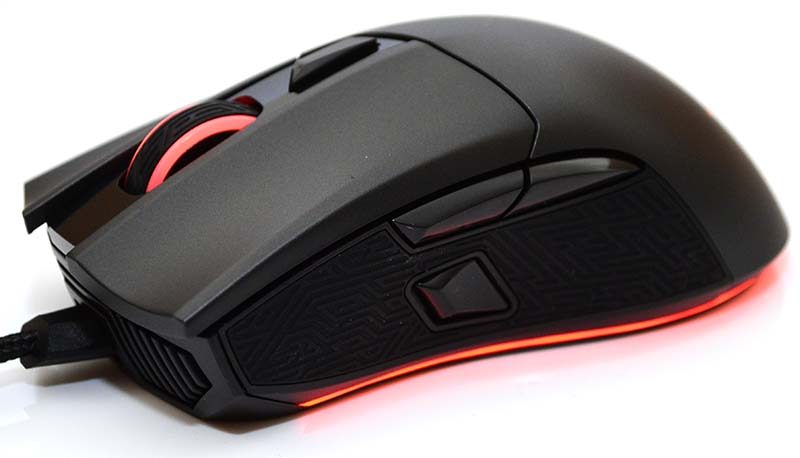
The ergonomics on the mouse are very comfortable, and the button layout feels very natural. I tried both switches, and they both work very well, although I do prefer the mouse pronounced click of the grey switch, but that’s certainly a subjective matter. The mouse glides well on most surfaces, although it does bed in a little bit on thicker padded mats, but it’s still smooth overall. When it comes to gaming, it’s flawless, no problems with response or overall control, making it a great option for competitive gaming.

The software is packed full of features and has a nice clean layout that makes it easy for newcomers to make quick changes.

The sensor performance can easily be tuned to suit your needs, including acceleration and deceleration rates, polling rate, angle snapping, etc. However, I found this page to already be at an optimal configuration.

The RGB lighting comes with a full colour wheel, where you can also adjust brightness and effects; you can also sync all effects here.

Surface calibration allows you to ensure optical sensor performance when you change gaming surfaces.

A powerful macro recorder, which also supports full keyboard commands.

The sensor performance is predictably fantastic, with no jitter, angle snapping, acceleration issues, and a nice low lift off by defaul (although you can set it higher if you need to).


There are only two DPI levels per profile, but you can configure them to suit your needs, and even set one of them to the Sniper button on the left side of the mouse for instant accuracy or speed.