be quiet! Dark Rock Pro 3 CPU Cooler Review
A Closer Look
The Dark Rock Pro 3 is huge, it’s easily one of the largest air coolers on the market and with dual cooling towers, a thick top plate and two fans pre-installed, it is easy to see why.
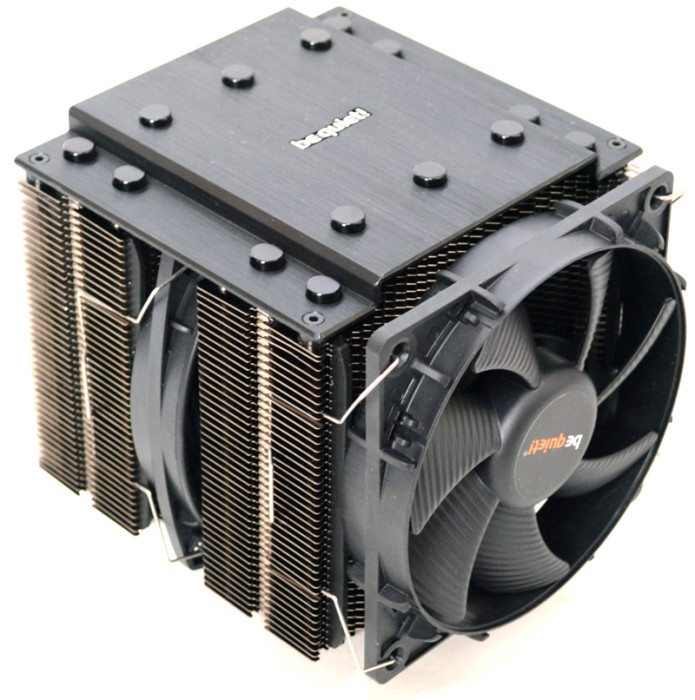
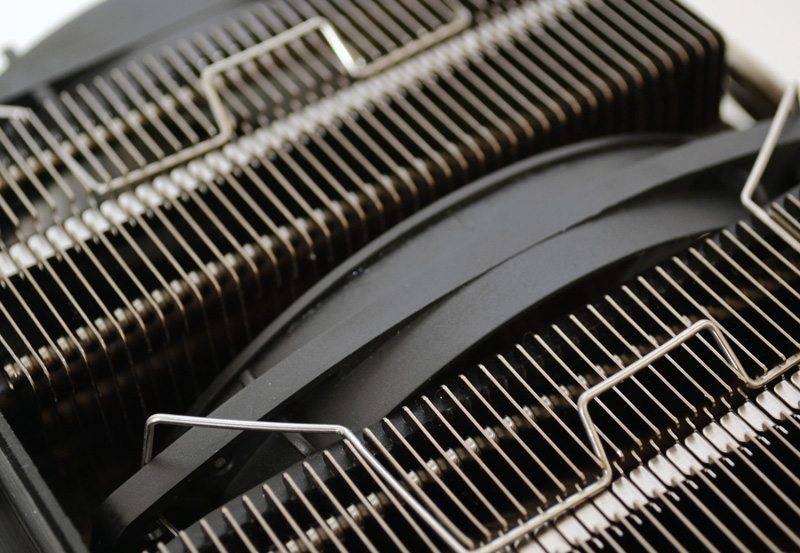
The fans are pre-installed, which certainly makes set up a whole lot easier. They’ve each mounted against the cooler with two metal clips and rest upon thick rubber strips on the cooler, this will help reduce any vibration and noise from the fans.
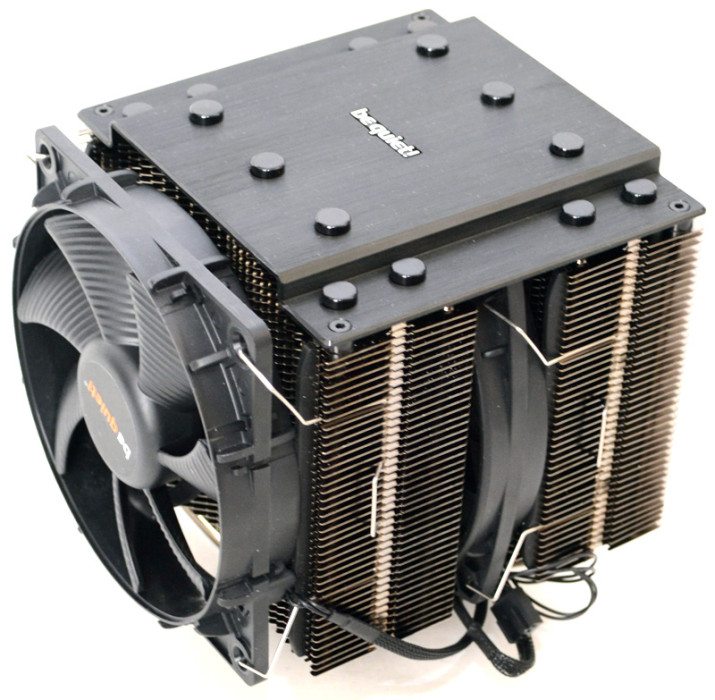
The thick fins have been specially shaped to help channel the air better, speeding up the rate which heat is transferred from the cooler.
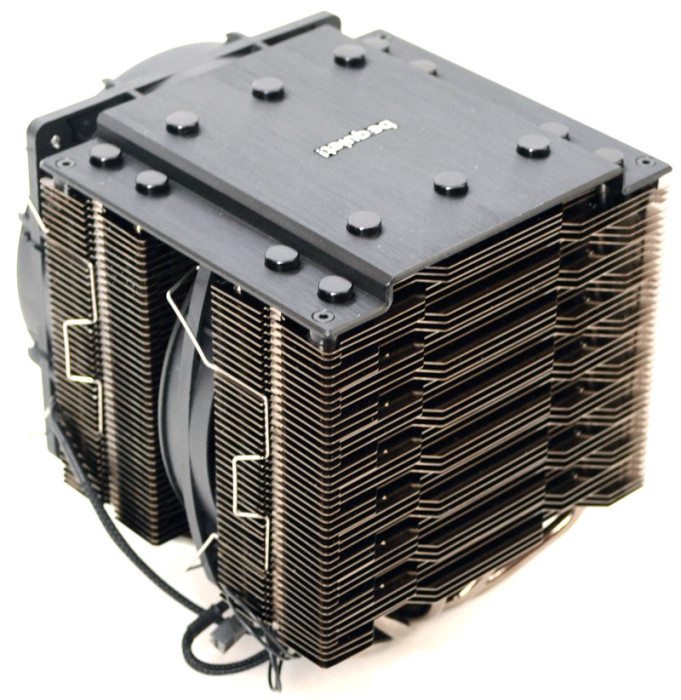
Both fans have been treated to black cables and some good quality cable sleeving so not to spoil the aesthetics.
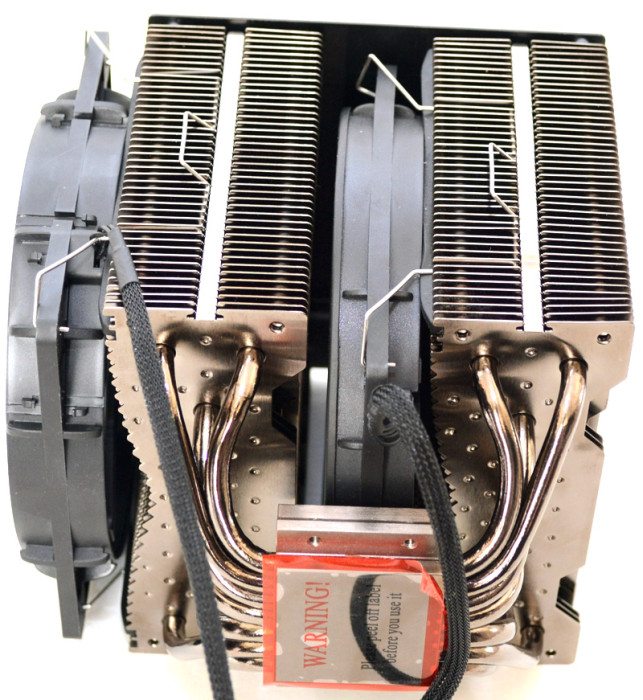
On the underside you can better see the dimples that have been added to each of the cooling fins, this helps improve the surface area and as a result should improve heat transfer, although a cooler this size is hardly lacking in surface area to begin with.
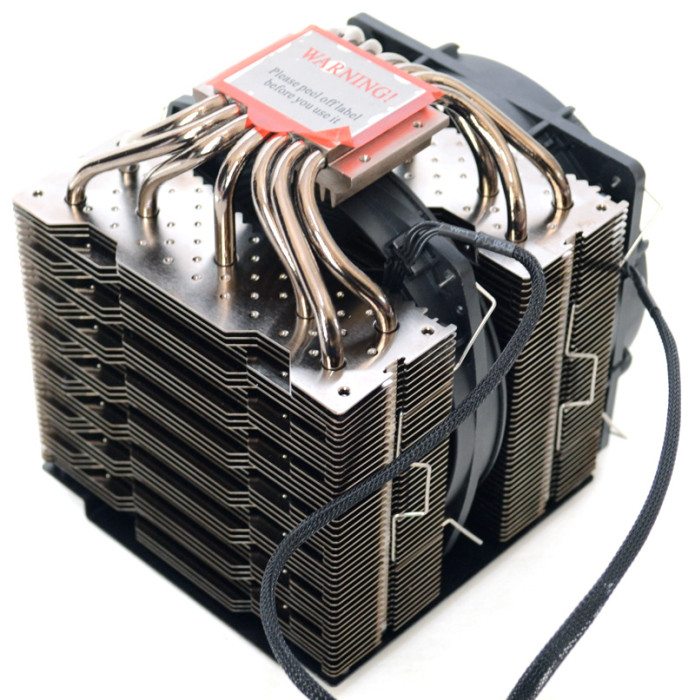
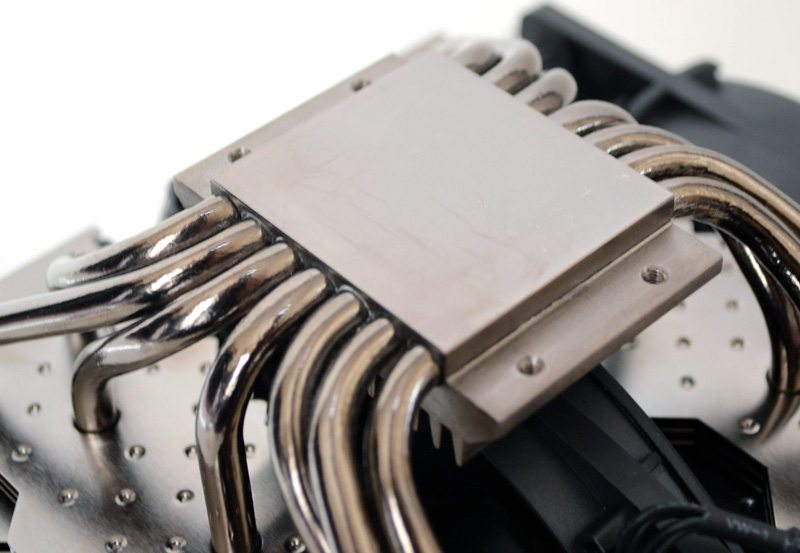
The polished and thick contact plate is of a good size, more than enough to cover any compatible CPU, while all size of the heat pipes pass through the block, splitting off to each of the cooling towers on either side.
The fan in the middle will help further push and pull the airflow through the cooler, while having two fans should allow for better cooling at lower RPM.
There is no doubt that the cooler is aesthetically pleasing, but it’s also incredibly big. It’s been made a few millimetres less tall than previous models to allow better chassis compatibility, but it’s still big. The top plate really adds to the overall style of the cooler too, and given it’s this edge that you’ll likely see the most off, it should look rather nice through your chassis window panel (if you have one).
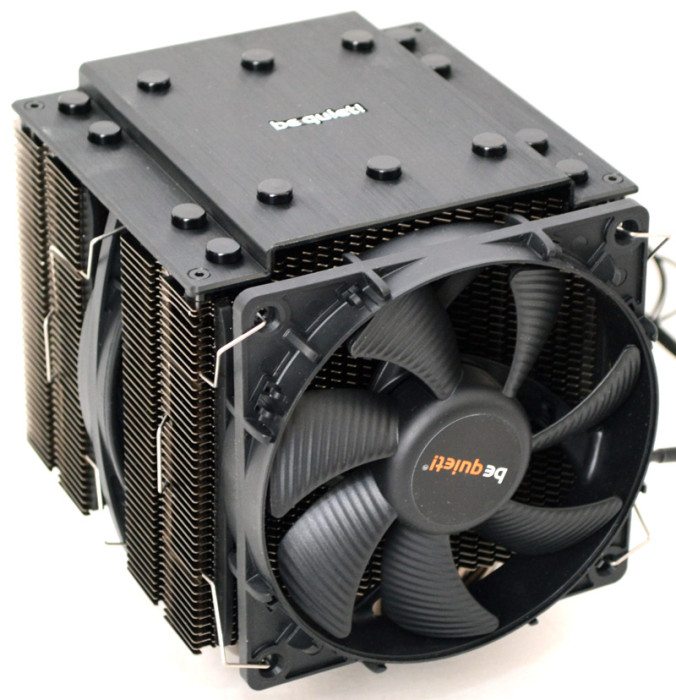
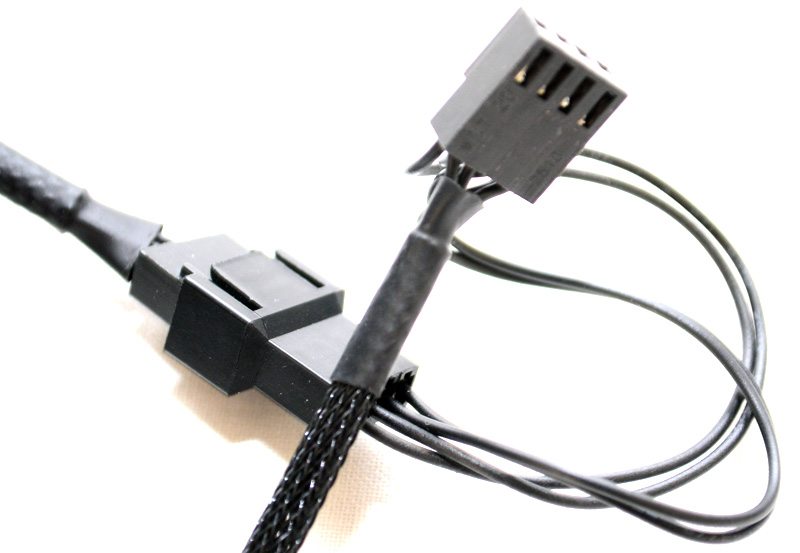
The fans are both powered from a single 4-pin header, which splits off an extra connection for the 2nd fan, saving you use of one of your motherboard fan headers.

















No man it’s just too gargantuan, it’s probably better suited to something like a test bench, not a common 9 to 5 PC case.
Great test, and clearly detailed info – even when I have one myself already, here is still loads of info to find & learn. Thank you.
However guys, the assembly isn’t bad for everyone. Imagine, there’s possibility of fitting this one, even without removing the motherboard. How come? Ask AMD CPU users. Fitting this one on my Phenom II x4 960T BE 3,0GHz – 3.4GHz Turbo (currently OC 3,8GHz – 4.0GHz Turbo) without any hassle at all takes about 15-20 minutes including fitting the thermal compound. And not in huge case, but in budget Zalman Z3 Plus – which has been chosen by me for great look and it’s great potential for modifications I’ve made already :)
So I rather way much love than hate – this incredibly easy assembly (for AM2, AM3 & AM3+ sockets), this silence, this temperatures (29*C Idle 45-46*C Stress), and also love it’s appearance in this case:
http://images68.fotosik.pl/551/00e6f98092efe467.jpg
http://images66.fotosik.pl/550/3de8356e3d540333.jpg
Ten fans in total in my case, which both in this cooler runs around 1325 RPM (smaller) / 925 RPM (bigger) and rest of them never exceed 800 RPM – late night, when all sounds at home and on the outside gone my working on this PC is still pleasant.
This block of cooling engineering even partly visible through side panel window still looks respectful. Very.
I didn’t found any info about maximum TDP of CPU this cooler can manage – and this one is quite big, as it will does his job with huge 250W of Thermal Design Power. And that’s make it as a very universal choice for any CPU on the market.
Great test, and clearly detailed info – even when I have one myself already, here is still loads of info to find & learn. Thank you.
However guys, the assembly isn’t bad for everyone. Imagine, there’s possibility of fitting this one, even without removing the motherboard. How come? Ask AMD CPU users. Fitting this one on my Phenom II x4 960T BE 3,0GHz – 3.4GHz Turbo (currently OC 3,8GHz – 4.0GHz Turbo) without any hassle at all takes about 15-20 minutes including fitting the thermal compound. And not in huge case, but in budget Zalman Z3 Plus – which has been chosen by me for great look and it’s great potential for modifications I’ve made already :)
So I rather way much love than hate – this incredibly easy assembly (for AM2, AM3 & AM3+ sockets), this silence, this temperatures (29*C Idle 45-46*C Stress), and also love it’s appearance in my case (see pic.).
Ten fans in total in my case, which both in this cooler runs around 1325 RPM (smaller) / 925 RPM (bigger) and rest of them never exceed 800 RPM – late night, when all sounds at home and on the outside gone my working on this PC is still pleasant.
And this block of cooling engineering even partly visible through side panel window still looks respectful. Very.
I didn’t found any info about maximum TDP of CPU this cooler can manage – and this one is quite big, as it will does his job with huge 250W of Thermal Design Power. And that’s make it as a very universal choice for any CPU on the market.
Great test, and clearly detailed info – even when I have one myself already, here is still loads of info to find & learn. Thank you.
However guys, the assembly isn’t bad for everyone. Imagine, there’s possibility of fitting this one, even without removing the motherboard. How come? Ask AMD CPU users. Fitting this one on my Phenom II x4 960T BE 3,0GHz – 3.4GHz Turbo (currently OC 3,8GHz – 4.0GHz Turbo) without any hassle at all takes about 15-20 minutes including fitting the thermal compound. And not in huge case, but in budget Zalman Z3 Plus – which has been chosen by me for great look and it’s great potential for modifications I’ve made already :)
So I rather way much love than hate – this incredibly easy assembly (for AM2, AM3 & AM3+ sockets), this silence, this temperatures (29*C Idle 45-46*C Stress), and also love it’s appearance in my case (see pic. below).
Ten fans in total in my case, which both in this cooler runs around 1325 RPM (smaller) / 925 RPM (bigger) and rest of them never exceed 800 RPM – late night, when all sounds at home and on the outside gone my working on this PC is still pleasant.
And this block of cooling engineering even partly visible through side panel window still looks respectful. Very.
I didn’t found any info about maximum TDP of CPU this cooler can manage – and this one is quite big, as it will does his job with huge 250W of Thermal Design Power. And that’s make it as a very universal choice for any CPU on the market.


