Icy Dock ‘Black Vortex’ MB074SP-B 3.5” 4-in-3 Cage Review
Chris Hadley / 10 years ago
A Closer Look
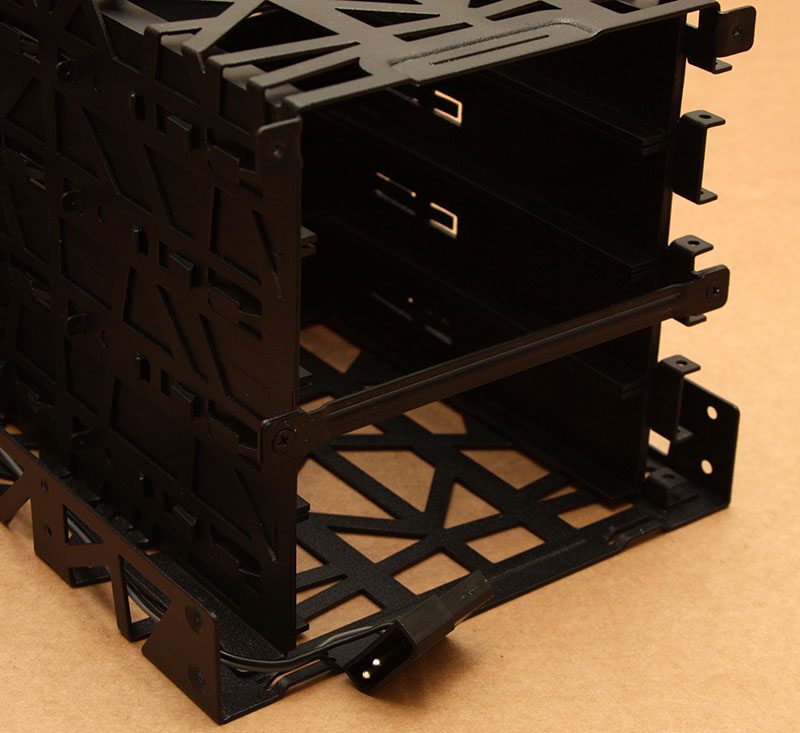
Like Icy Dock’s other drive bay adaptors, the dimensions of the Black Vortex are obviously going to be of a standard unit size – in this case we are looking at a unit that takes up the equivalent of three optical drive bays. The frame is also no deeper than a typical optical drive, allowing the unit to fit into any chassis with three or more drive bays without any problems. Compared to some of the other drive bay adaptors that Icy Dock offer such as the FatCage MB155SP-B, the Black Vortex has a more open-frame design, allowing plenty of air to easily come in through the front fan and out through the top, sides and rear.
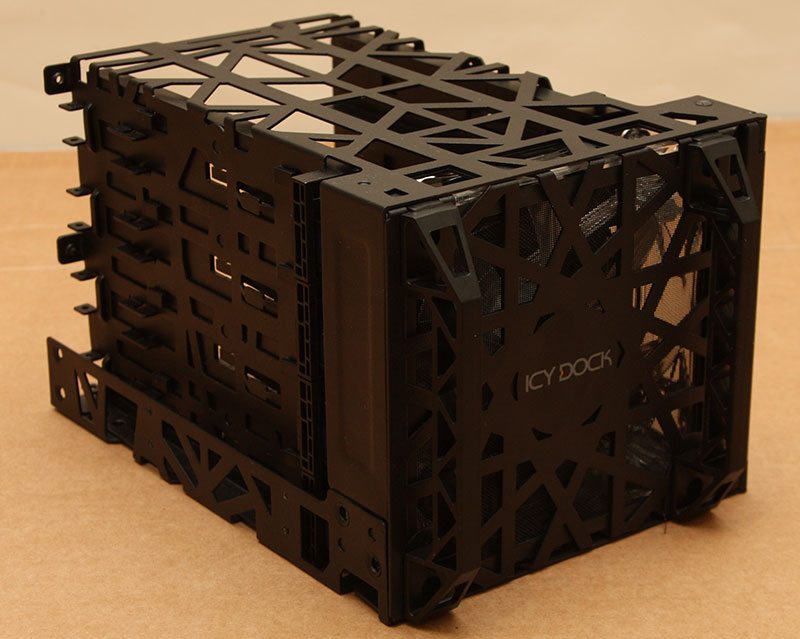
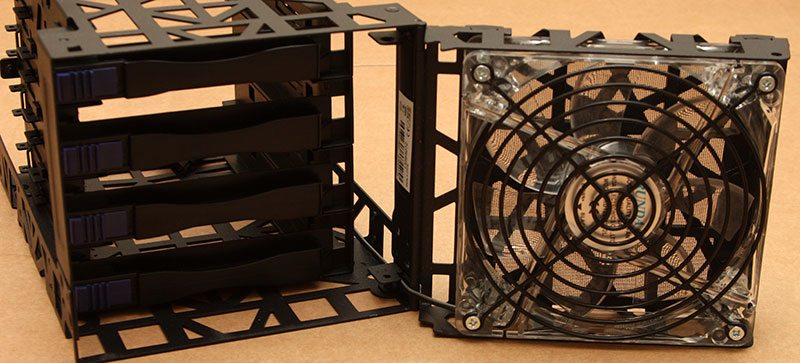
Opening up the front of the enclosure we find a 120mm fan on the rear of the door which draws air in when closed and over the installed drives, venting out through the numerous gaps and holes that are present in the rest of the framework as mentioned above.
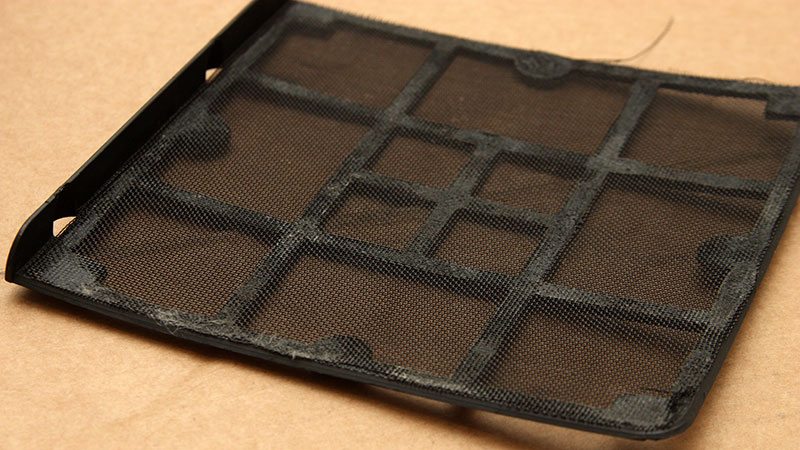
Having a dust filter beside each chassis fan in your system these days is virtually a necessity as we all know that dust is your systems worst enemy. The more fans you have drawing air in, the higher the risk of dust build up. To combat this hard to see enemy, the Black Vortex has a slide in dust filter that sits between the fan and the front face of the cage, sliding out to the left as the door is opened.
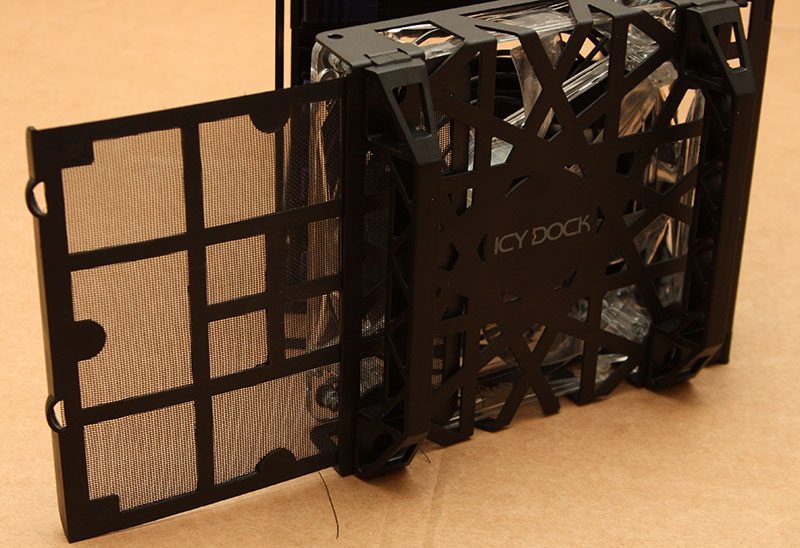
Looking a little closer at the filter, I have to be totally honest and say that I’m a bit disappointed with Icy Dock on the quality of work – or the lack there of – that has gone into the filter. Where the gauze has been attached to the plastic frame we find a number of rough edges and in some places the gauze appears to be lifting up in a way that causes it to catch on the fan and the metal frame-work as it is pulled out from and reinserted afterwards.
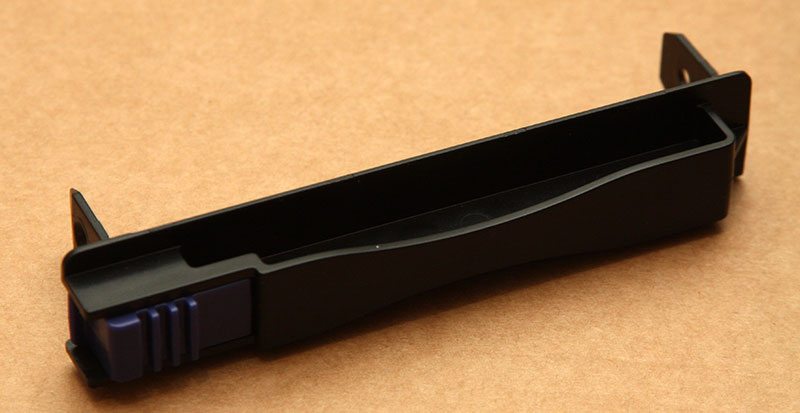
When it comes to fitting drives into the cage, we typically find a full length drive tray which a disk would sit into and affix at each corner, however the concept here is a little different. The bracket that we get here, as we can see, is far more minimalistic. Instead of having the previously mentioned full-sized drive tray, drives slot into the cage and run along a set of internal rails whilst this small bracket simply affixes to the front edge of the drive, allowing it to be locked into place and removed with ease when required.
Moving around to the rear of the cage there is little to see in the way of connectivity, with each drive connecting to the host system with their own native connections. For the fan, a single molex plug is provided, although this type of power connection is a bit dated now; a 3-pin fan header or even a SATA power connector being far more suited to today’s systems and power supplies.