Intel Optane SSD 900p 280GB PCIe NVMe SSD Review
Bohs Hansen / 6 years ago
Testing & Methodology
In a bid to make our testing as thorough and as accurate as possible, we have devised a testing methodology that will give us the maximum amount of data. While this means that testing each drive will take considerably longer – easily up 36 hours – the overall picture that we can gather is bigger too. It helps both you as the reader and us as the reviewer’s to gain a clearer view of the drive’s overall performance, strengths, and weaknesses. It also provides a more accurate analysis on how each drive performs under different conditions.
Data Fillage
There are many ways to test a storage drive, and we have chosen to include close to every test possible. We will start with a typical benchmark analysis of the formatted drive with various village scenarios. However, depending on how a drive is built, the performance may differ depending on how much data it is already storing. Testing this, the drive will be tested empty as well as with 25%, 50%, and 75% space usage. For these tests, we will be using Anvil’s Storage Utilities, AS SSD Benchmark, ATTO Benchmark, and CrystalDiskMark.
Application and Gaming
Besides these synthetic fill tests, the drive is tested with PCMark 8’s storage benchmark to get real-world performance results.
Plain Drive Performance
Following the fillage tests, the partition gets removed, and we check the drive’s raw performance. These tests will determine the hardware’s capabilities while eliminating any interference from the set file system. AIDA64’s storage benchmark and IOmeter are both great tools for this, and they help us paint an even clearer picture of the drive. The IOmeter tests I run are quite different from the rest as they will give a final result after a longer performance test rather than a maximum or average score; this gives us yet another view of the tested drive over the regular tests.
Drive Conditioning
Durability is a vital factor when it comes to NAND-based drives as the chips only can be rewritten so many times before they’ll stop working properly. Modern SSDs come with wear-level algorithms to increase the lifetime and reduce this factor as much as possible. We also take this into consideration in our reviews even tho it would take years to simulate this under real-world conditions. Luckily, Anvil’s Storage Utilities comes with an endurance test that can perform this action much faster, but it is still a time-consuming process. process. Depending on the hardware, this can easily take several days, and we write thousands and thousands of small files in various sizes and compressibility to drive over and over.
Following this conditioning process, all of the previous benchmarks will be run again in the same scenarios and the same order. This will give us a great view on how a drive will perform after prolonged usage, and that is a very vital factor when you pick out your storage drive.
The Preparation and In Between
The drive will be formatted as NTFS with default settings, as most users will do. The quick format option isn’t used as that might affect the performance the first time data is written.
Modern operating systems all take care of the TRIM command in the background and it isn’t something to worry about for regular users. However, for these reviews, I will add a waiting period between each benchmark to make sure that the TRIM command has been fully executed and finished. After all, we want a clear picture of the drive’s performance with minimal interference from the operating system.
On each page that follows with the benchmark results, I have inserted result screenshots from the benchmarks, created drive analysis chart for the fill-level performance, and added drive comparison charts where possible.
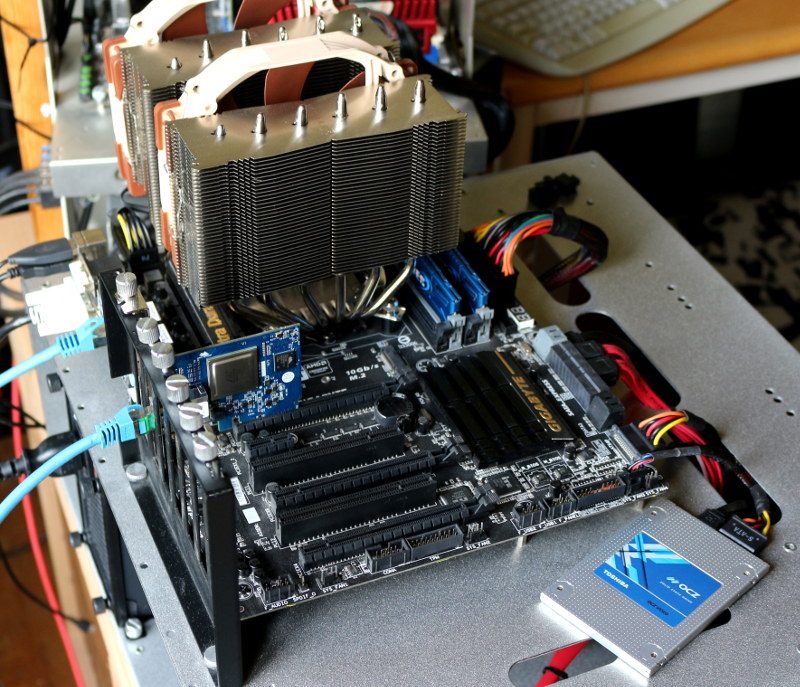
Hardware
- Supermicro C7Z270-PG
- Intel Core i7-7700K
- Crucial Ballistix Sport DDR4 2400MHz (4x8GB)
- Toshiba OCZ VX500 512GB SSD
- be quiet! Dark Power Pro 11 (1200W)
- Noctua NH-D15S
- Dimastech Easy V3
Software
- AIDA64 Storage Benchmark
- Anvil’s Storage Utilities
- AS SSD Benchmark
- ATTO Benchmark
- CrystalDiskMark
- IOMeter
- PCMark 8 Storage Benchmark
- Windows 10



















