Microsoft is Now Upgrading PCs to Windows 10 Without Permission
Ashley Allen / 8 years ago
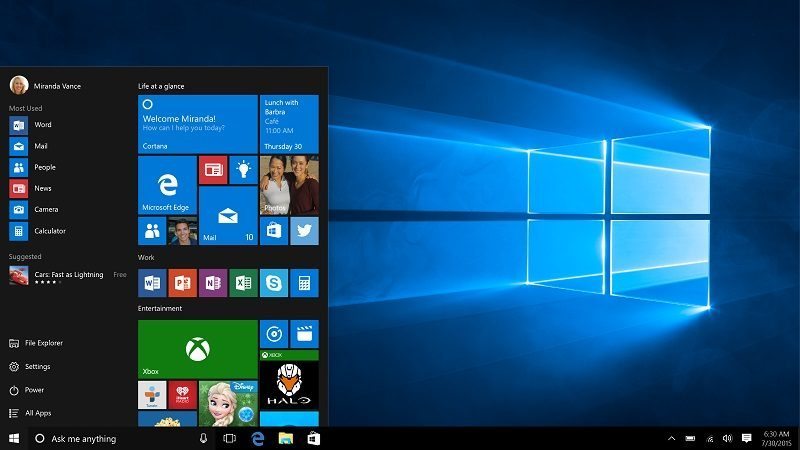
Since Windows 10 was launched last year, Microsoft has been employing increasingly dirty tricks in order to force Windows 7 and Windows 8.1 users into “upgrading” to the new operating system, evolving from gentle harassment to misleading pop-ups, repeatedly pushing upgrade-related Windows Updates, with the latest tactic being to sneak the software in as a “recommended update”.
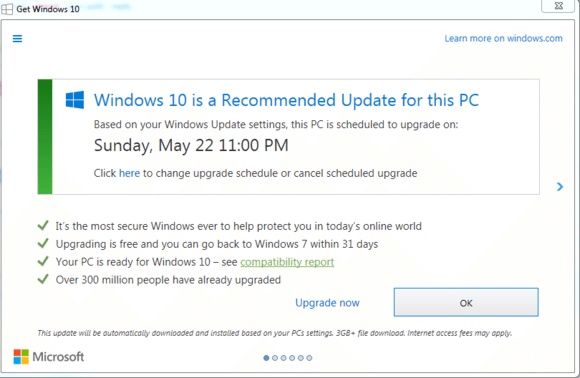
While Windows 7 and 8.1 users are entitled to upgrade to Windows 10 for free, the update is meant to be optional. Microsoft, though, now seems happy to violate Windows users’ agency by removing that choice. The new iteration of the “Get Windows 10” (GWX) window now displays the date upon which Microsoft has decided to upgrade your system to Windows 10, offering no obvious way to opt out, only delay the installation date (below, courtesy of PCWorld). Worse still, closing the window by clicking the X in the top-right corner does nothing to prevent the update, as it did with the previous “Upgrade now” or “Upgrade later” GWX window. The only way to stop the installation entirely is hidden within the reschedule option – a fact that the GWX pop-up does not explain, nor does it state that closing the window will not stop the installation.
Many readers who want to stick with Windows 7 or 8.1 are likely to be using facilities like GWX Control Panel (my personal favourite) or Never10 to prevent Microsoft’s insidious Windows 10 upgrade tactics. If you’re not already, and don’t want Windows 10, either will save you a lot a trouble. Otherwise, you’ll have to ride this wave until Microsoft pulls the free upgrade in July. It’ll be interesting to see how Microsoft escalates its Machiavellian GWX scheme between now and then.



















