MSI GT72S 6QE Dominator Pro Gaming Laptop Review
John Williamson / 8 years ago
A Closer Look
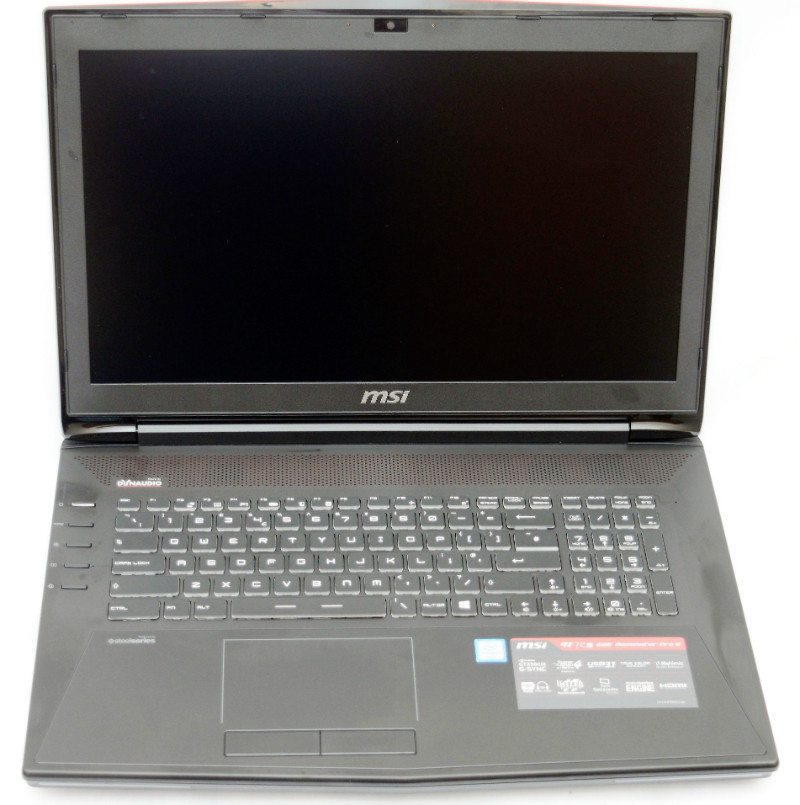
The system is designed as a desktop replacement and utilizes a fairly large frame to properly cool the internal components. Here we can see the 17.3″ 75Hz G-SYNC display which features excellent viewing angles and minimal backlight bleed. This allows for a sharp image without impacting on the panel’s responsiveness or causing noticeable ghosting. Thankfully, MSI made the correct decision and selected a 1920×1080 display to allow for high framerates in a variety of visually demanding games.
While I’m not overly keen on most trackpads, the GT72S 6QE Dominator Pro’s large surface area feels comfortable for extended periods. Additionally, there is an illuminated border to help signify the trackpad’s limits during low lighting conditions. Overall, it’s pretty good but the trackpad’s material accumulates a large amount of grease even if your hands are quite clean. This makes the cleaning process an arduous and infuriating task.
Other inclusions to take note of are the magnificent Dynaudio speakers which produce a crisp, and balanced sound. Unless you’re a serious music enthusiast, the internal speakers will genuinely surprise you and negates the need for a dedicated set of portable speakers. On another note, the island-style keyboard is comfortable to type on and contains a great deal of customization through the Steelseries engine software. RGB lighting adds a visual flair to the system and contrasts beautifully with the understated black chassis.
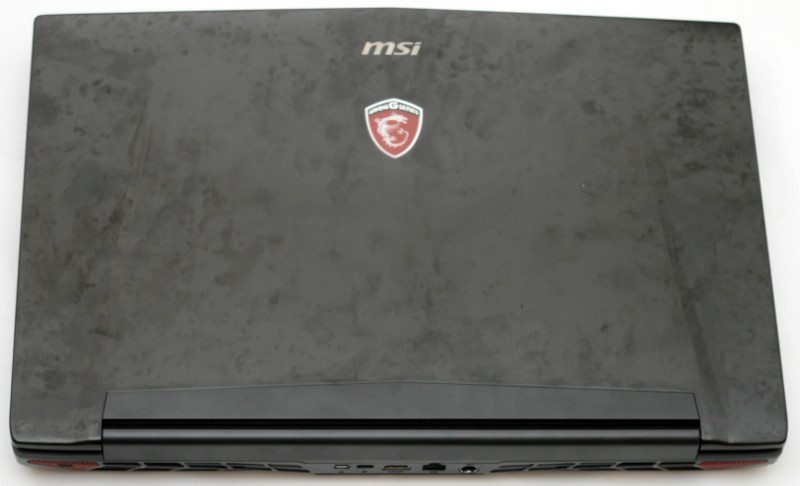
Unfortunately, the laptop’s subtle branding is overawed by the chassis’ lid which becomes covered in fingerprints. Prior to this picture, I only handled the laptop briefly to carry it between two rooms and conduct basic tests. Honestly, there’s no way it should be attracting fingerprints on such a huge scale. To test the chassis’ surface, I intentionally used the laptop for a day and wiped the lid with a microfiber cloth. This had a minuscule effect on the number of finger prints and I couldn’t remove the huge array of smudges. Perhaps, the best course of action is to purchase a protective cover or decal to obscure the lid.
On a more positive note, the laptop is constructed from premium materials and utilizes large ventilation areas to aid with heat dissipation. When it comes to connectivity, the rear section integrates a mini DisplayPort 1.2, MSI dubbed “Super Port”, HDMI 1.4, Gigabit Ethernet and power connector. The “Super Port” is essentially a traditional USB 3.1 Type-C connector capable of outputting 4K video and offers 3A of power to charge devices quickly. Most impressively, it is capable of transfer rates to 1000MB/s, a significant increase compared to USB 3.0.

The laptop incorporates a Blu-Ray Writer, and six USB 3.0 ports. This provides a huge scope to connect various devices and backup sensitive data onto optical media. Many customers, might simply use the Blu Ray drive to watch films or encode videos into commonly used digital formats.

There is also a multi-format SD card reader, and gold-plated audio jacks. Theoretically, this reduces interference and prolongs the life of audio hardware when inserting 3.5mm jacks on a regular basis.

The underneath portion features four long rubber feet, a dedicated subwoofer, and ventilation area. This ensures the laptop stays perfectly in position and doesn’t reach an uncomfortable temperature when resting on your lap. Opening up the system is relatively simple, and revolves around 7 accessible screws. However, please note this will invalidate the warranty. Once the screws have been carefully removed, you need to pry between the cover and chassis with a small flat-headed screwdriver. Obviously, patience is key and you must gently lift at specific points by gradually releasing tension on the bottom cover. In summary, the cover is constructed from thick, durable plastic and protects the internal components exceedingly well.

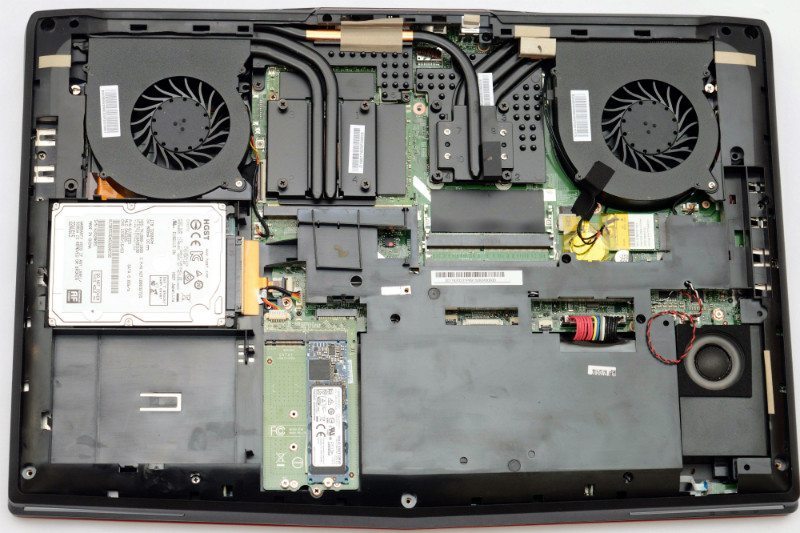
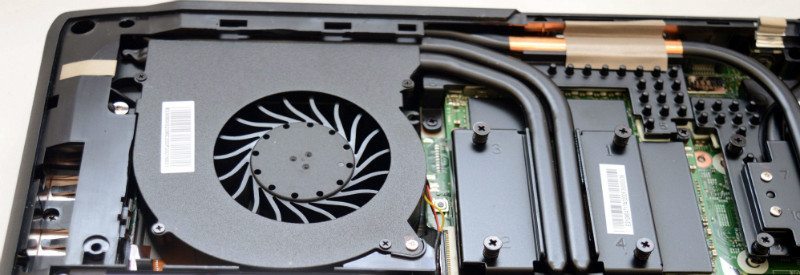
Here, we can clearly see the exemplary cooling apparatus which uses a dual chamber, 6-heatpipe design to effectively expel CPU and GPU heat in an effective manner. Furthermore, the clean, logical layout provides headroom for multiple ultra fast M.2 NVMe drives in a RAID0 configuration. As previously mentioned, MSI’s MXM graphics module allows authorized technicians to upgrade the internal hardware. Although, it’s unknown if this will apply to mobile chipsets in the future based on NVIDIA’s upcoming Pascal architecture. I suspect so, but this cannot be confirmed due to the secretive nature of unannounced products; nevertheless, it’s a great feature to have embedded onto the PCB.
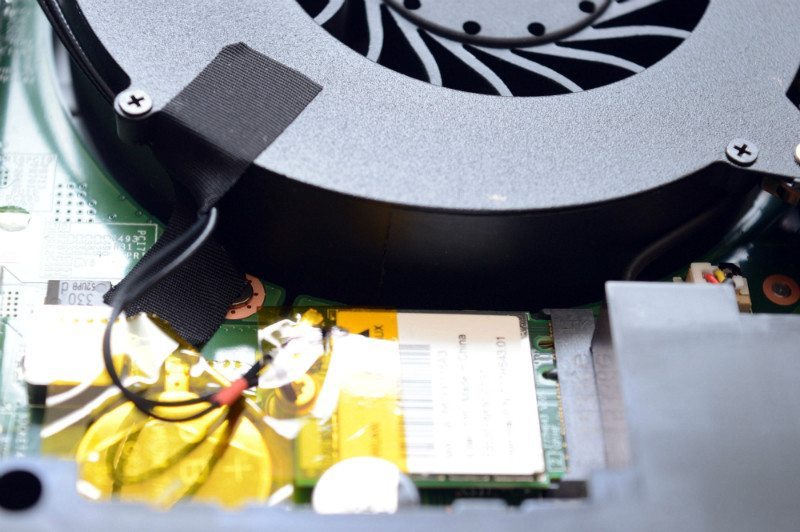
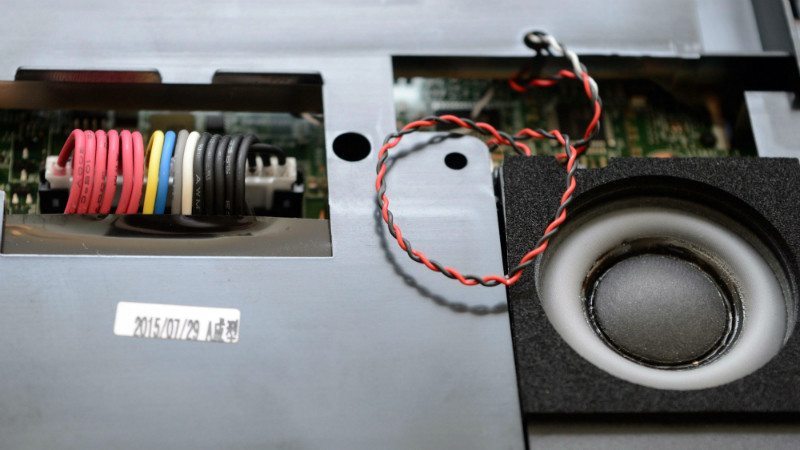
A close-up image illustrates the neat fan cabling and thermal bridge which dynamically adjusts the cooling via a simple button press. This means the end-user can select between louder operation and reduced temperatures or silent running and hotter load results.
The cable routing and shielding are installed in a proficient manner which showcases the system’s premium design.
MSI’s Cooler Boost 3 system revolves around tightly fitted dual fans that utilize supporting tape to reduce vibration during high RPM circumstances. This works rather well and ensures the laptop remains quiet even with a large frequency boost.